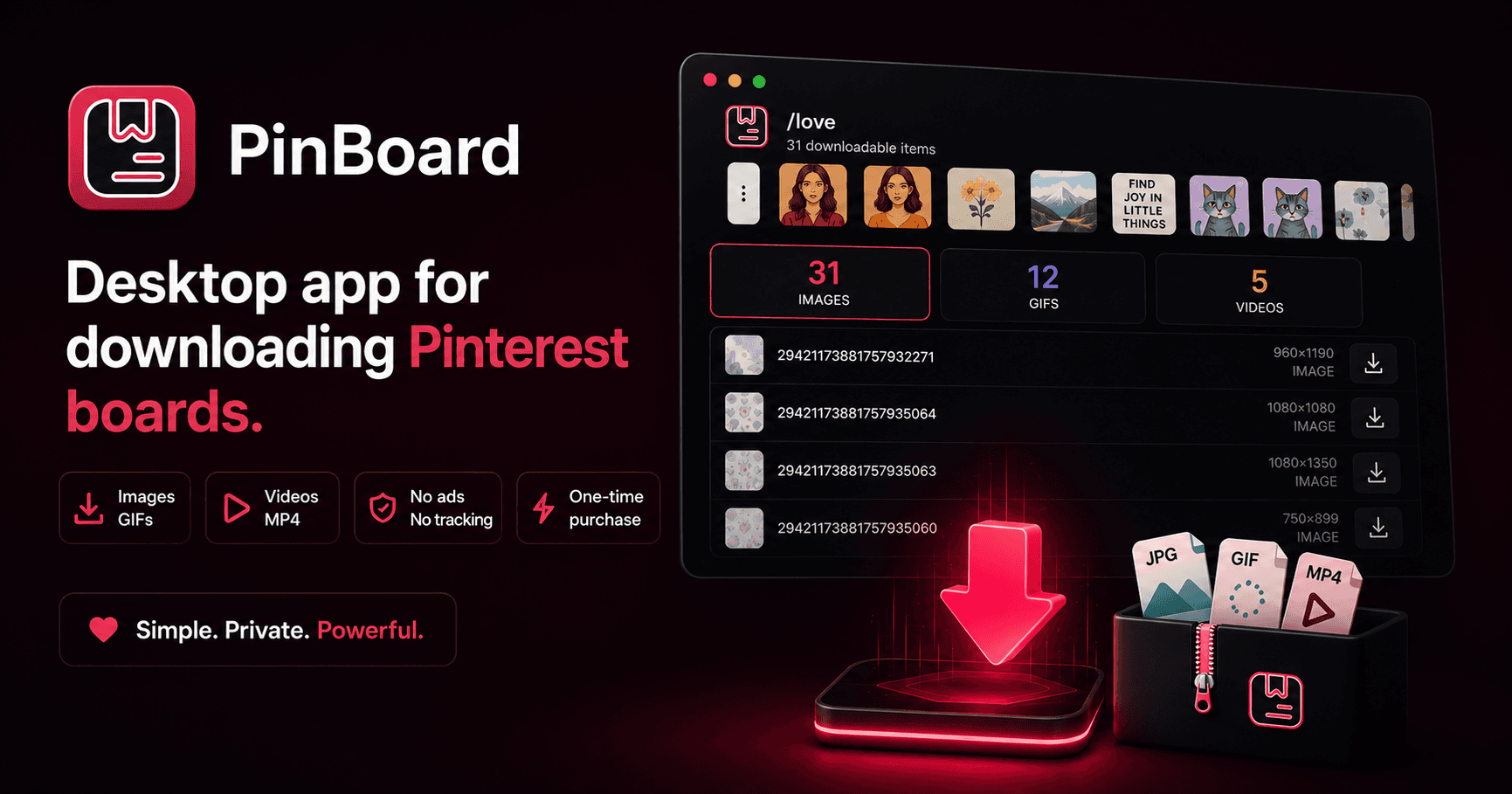
PinBoard is a desktop app that lets you download images, GIFs, and videos from Pinterest boards. You paste a board URL, it loads everything, you pick what you want, and it downloads to your machine.
It has a free tier and a paid tier. Free gives you a set number of image downloads per board. The paid tier is a one-time purchase that unlocks unlimited downloads including GIFs and videos. No subscription. No ads.
The interesting part is not the app itself. It is how the entire business runs at zero cost.
The Zero-Cost Stack
Most indie developers assume you need infrastructure to sell software. A server for users. A database for accounts. A payment processor with a monthly fee. A CDN for downloads. Maybe an email service for receipts.
PinBoard uses none of that.
Downloads are hosted on GitHub Releases. Free, unlimited bandwidth. The website is a static HTML page on Vercel. Free. Payments go through LemonSqueezy, which only charges a percentage when someone actually buys. No monthly fee. License validation hits LemonSqueezy's public API directly from the app. No backend needed. Bug reports from the website go to a Discord webhook. Also free.
The total monthly cost of running PinBoard is $0. Every sale is profit minus LemonSqueezy's cut.
Why Not Code-Sign the App?
When you open PinBoard for the first time on macOS, you get a scary security warning. Same on Windows. This happens because the app is not code-signed.
Code signing on macOS requires an Apple Developer account. That is $99 per year. For Windows, you need a code signing certificate, which starts around $70 per year depending on the provider. For a small indie app, those costs eat into the margins fast.
I decided against it. Instead, I wrote detailed first-launch bypass guides on the website. macOS users go to System Settings, Privacy and Security, click "Open Anyway." Windows users click "More info" then "Run anyway." It takes 10 seconds, you only do it once, and nobody has complained about it being a dealbreaker.
This also meant I could not use Electron's built-in auto-updater, which requires code signing on macOS to silently install updates. So I built a lightweight update checker instead. The app hits the GitHub Releases API on startup, compares version numbers, and shows a notification bar if something newer exists. Clicking it opens the releases page. Users download and install the new version the same way they installed the first time.
That entire update system is about 40 lines of code. It replaced a heavy dependency that would have forced me into a $99/year commitment.
The Video Download Problem
Pinterest serves videos as HLS streams. That means you cannot just download a video file with a simple HTTP request. HLS breaks videos into tiny chunks and streams them through a playlist file. To get a proper MP4, you need to download all the chunks and stitch them together.
This is where ffmpeg comes in. PinBoard bundles ffmpeg inside the app (via ffmpeg-static) and uses it to convert HLS streams into MP4 files during download. The user never sees this. They click download, a progress bar fills up, and they get an MP4 file in their downloads folder.
Getting ffmpeg bundled correctly across macOS, Windows, and Linux was one of the more annoying parts of the project. Each platform needs a different binary. The binary needs to be executable. On macOS, you need to clear quarantine attributes. On Windows, the file needs a .exe extension that ffmpeg-static does not always include. I ended up writing a custom post-build script that fixes permissions and file extensions per platform.
Shipping to Three Platforms
PinBoard runs on macOS, Windows, and Linux. Each platform has its own quirks.
macOS gets a DMG installer with the native vibrancy effect and a hidden titlebar for that clean macOS look. Windows gets an NSIS installer that sets up the app per-user without admin rights. Linux gets an AppImage, which is basically a self-contained executable that works on most distributions.
The UI adapts too. The titlebar style changes, the background rendering changes, and the footer shows the correct platform label. Most of this is handled by Electron and electron-builder, but the edge cases always take longer than you expect.
Licensing Without a Backend
The paid tier uses LemonSqueezy for payments and license key delivery. When someone buys PinBoard, they get a license key. The app validates that key directly against LemonSqueezy's public API. No server needed.
To avoid hitting the API on every app launch, the app caches the validation result for 7 days. After that, it re-validates. If the network is down, the cached result holds. The user is never blocked from using the app because of a network issue.
The machine ID is generated locally using the system's hardware fingerprint, so each license can be tied to a set number of devices. Activation, deactivation, and status checks all happen through LemonSqueezy's API with zero backend code on my side.
What I Would Do Differently
The renderer is a single HTML file with about 1,800 lines of HTML, CSS, and JavaScript. When I started, this felt clean and simple. Now it is the hardest part of the codebase to work in. Finding a specific button handler or style rule means scrolling through a massive file.
If I were starting over, I would still skip React (the app does not need it), but I would split the renderer into separate CSS and JS files at minimum. Maybe use a lightweight templating approach for the modals and repeated UI patterns.
Other than that, the architecture held up well. Keeping the main process modular (separate files for Pinterest API logic, license validation, and utilities) made it easy to add features without creating a mess.
The Takeaway
You do not need a server to sell software. You do not need a subscription model to make money. You do not need code signing to ship a desktop app.
PinBoard is proof that a simple product with a clear value proposition can work with free infrastructure and a one-time price. The constraints forced better decisions. No server meant no server costs but also no server maintenance. No auto-updater meant a simpler codebase. No code signing meant detailed documentation that actually helps users.
Sometimes the cheapest solution is also the best one.