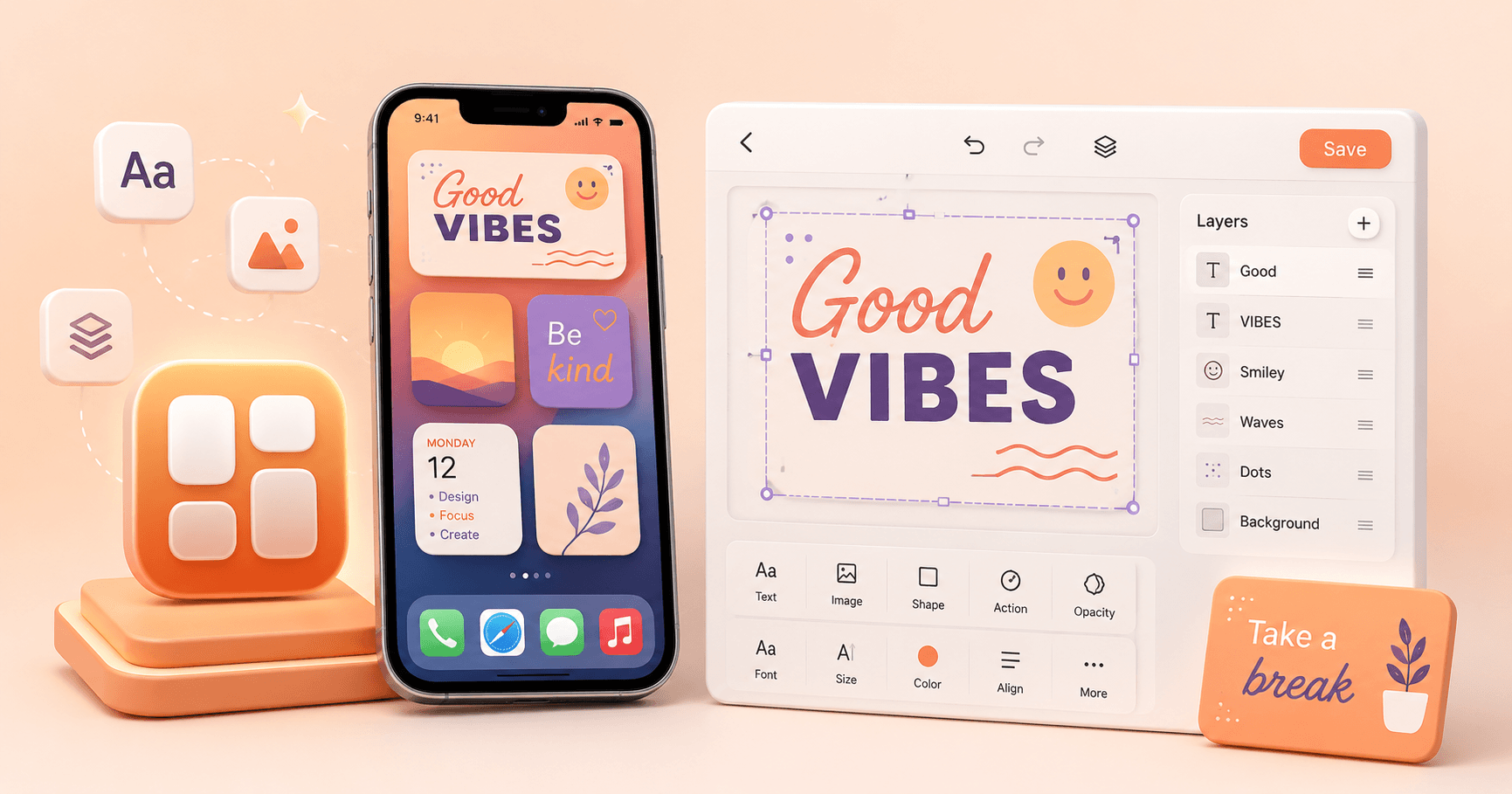
Texget started with a simple idea. What if creating widgets felt more like designing in Canva and less like filling out settings forms.
Instead of picking from fixed templates, Texget gives you a canvas. You place things where you want. You adjust them visually. You see the result instantly.
That is the core of the app.
How Texget Works
Widgets in Texget are built using layers. You can:
- Add multiple text layers
- Add image layers
- Move, resize, and align everything freely
- Stack and overlap elements however you like
There are no forced layouts. You decide how your widget looks.
Typography and Visual Control
Fonts are a big part of how widgets feel. Texget lets you:
- Choose from a strong font collection
- Mix fonts inside the same widget
- Control size, color, opacity, and alignment per layer
This makes it easy to create widgets that look clean, bold, minimal, or expressive.
Widget Actions
Texget widgets are not just static.
You can assign actions to individual layers. Tapping different parts of the widget can open apps or run Shortcuts. This makes widgets actually useful, not just decorative.
Why I Built It
Apps like Widgy and Widgetsmith are powerful, but they can feel heavy over time. They rely on:
- Large configuration screens
- Subscriptions
- Ads or constant upsells
- UI that gets cluttered as features grow
Texget is intentionally simpler.
- No subscriptions
- No ads
- A clean editor focused on the canvas
- Fewer steps between idea and result
The goal is speed, clarity, and control.
Final Thoughts
Texget is for people who want to design their widgets instead of configuring them.
If you like the idea of Canva-style freedom applied to iOS widgets, this app is built for you.
You can check it out here: Texget on the App Store