You have a PDF that needs someone else's signature. A lease, a freelance contract, an offer letter, a waiver for an event. You send it over, and then you wait.
Sometimes it comes back in an hour. More often it comes back as a crooked photo of a printed page, signed in the wrong place, with the date box left empty. Or it doesn't come back at all, because the person opened it on their phone, couldn't work out how to sign it, and decided to deal with it later.
The signature itself is rarely the problem. Most PDFs are designed for paper, and most people now open them on a phone. In this guide, we'll look at the common ways to send a PDF for signature, where each one falls short, and what makes the process quick for the person on the other end.
Why Signing a PDF on a Phone Is Harder Than It Should Be
A PDF is a picture of an A4 or Letter page. On a laptop, that's fine. On a phone, the person signing has to pinch and zoom to read it, hunt for the right box, and figure out which app can even add a signature.
Then there are the parts people miss. A contract might need a signature on page 3, initials on page 5 and a date at the end. When nothing points those out, someone skips one, and you're back to sending it again.
So when you choose how to send a PDF for signature, the question isn't only "can they sign it?" It's "will they sign every part of it, correctly, the first time, on whatever phone they have?"
Option 1: Print, Sign and Scan
The classic approach. The other person prints the PDF, signs it with a pen, and scans it or takes a photo.
It works, and everyone understands it. But it assumes they own a printer, and the result is often a blurry, skewed photo that's hard to read and harder to file. You also have no record of when they received it or when they signed it. For a document that matters, that's a weak spot.
Option 2: Markup Tools on Their Phone
iPhones and most Android phones can add a signature to a PDF with a built-in markup tool, and apps like Adobe Fill & Sign do the same.
This is fine when the person signing is comfortable with those tools. But you're relying on them to find the right app, place the signature in the right spot, catch every field, and send the file back to you. Plenty of people don't know these tools exist, and the ones who do still miss fields.
Option 3: Full E-Signature Platforms
DocuSign, Adobe Acrobat Sign and Dropbox Sign are built for businesses that send agreements every day. They handle templates, signing order for several people, reminders, team accounts, and integrations with CRMs and cloud storage.
If that describes you, they're worth paying for. But if you need a lease or a contract signed a few times a month, their pricing and setup are aimed at a different customer. Free plans tend to be limited, and the signing experience can feel like a lot of screens for one signature.
Option 4: Free "Sign PDF" Websites
Search for "sign PDF online" and you'll find plenty of free tools. Most are made for signing your own document: you upload a file, add your signature and download it.
That's useful, but it's a different job. When the signature you need belongs to someone else, you need a way to send the document to them, show them where to sign, and get it back.
What a Good Signing Experience Looks Like
Whatever you use, judge it from the signer's side, because if they get stuck, so do you. Here's what matters:
- No app and no account. They tap a link and they're in.
- It opens fast on any phone, including older phones on patchy mobile data.
- It shows them exactly where to act. One field at a time, not a wall of PDF.
- Nothing gets skipped by accident. Required fields stay required.
- They get a copy of what they signed.
- You can see what happened: when it was opened, when it was signed, and from which device.
Guided Signing: How GetPDFSigned Works
That list is why I built GetPDFSigned. Full disclosure, it's my product. The idea is simple: instead of handing someone a PDF and hoping for the best, the document walks them through it.
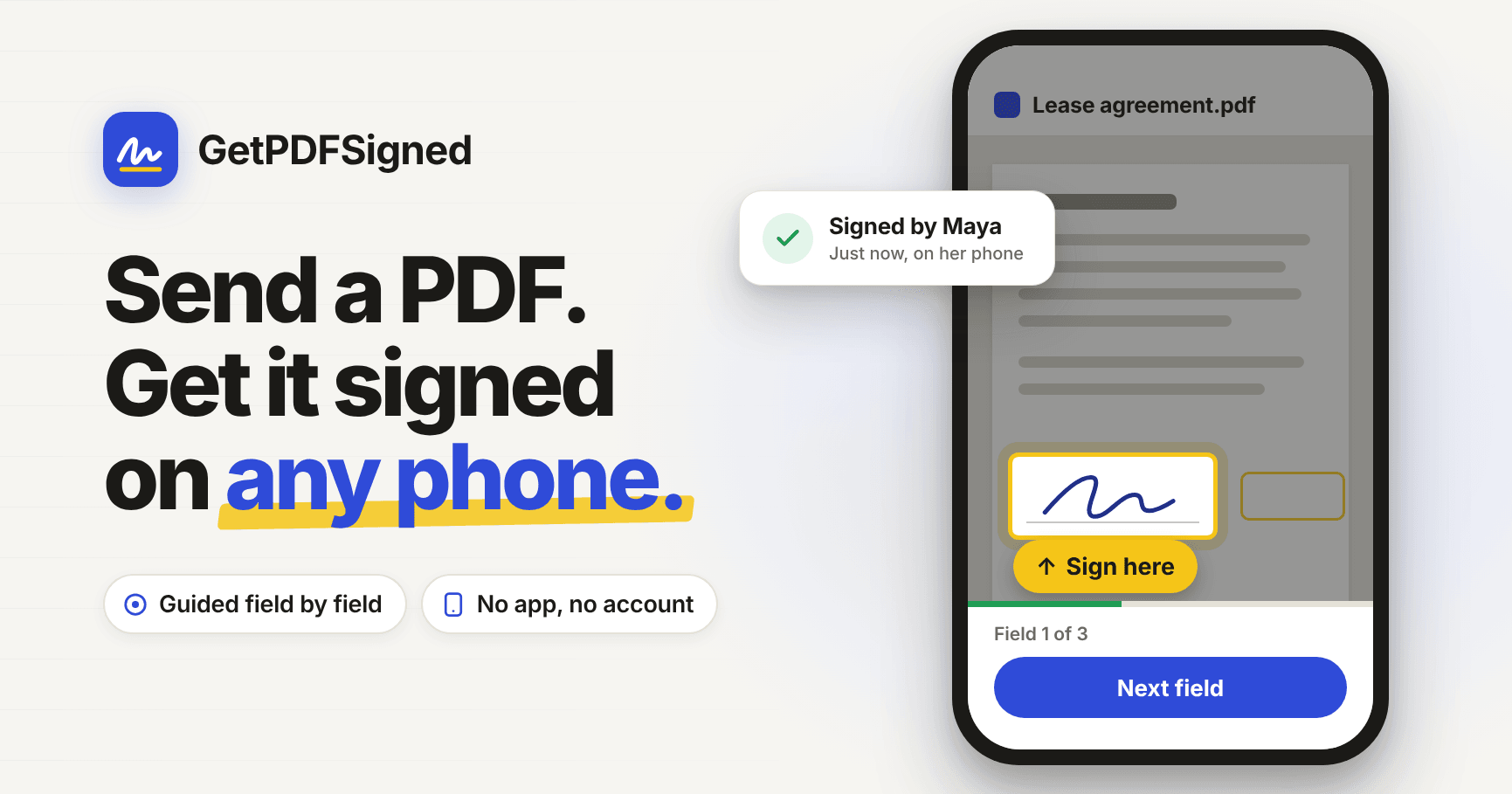
When the signer opens the link, the page moves to the first field, highlights it, and tells them what to do: "Sign here", "Add the date", "Tick the box". Once they fill it in, it moves on to the next one by itself and shows how many are left. Optional fields can be skipped. When the last field is done, they tap Finish and download their copy.
They can draw their signature with a finger or type their name, and the first signature is reused for every signature field after it. If they'd rather read the whole document first, they can, and pick the guide back up whenever they're ready.
How to Send a PDF for Signature, Step by Step
1. Upload your PDF
Go to getpdfsigned.com and upload the document. Any PDF up to 10 MB works: a contract, an NDA, a lease or a consent form.
2. Mark where they need to sign
Drop in signature, initials, date, text and checkbox fields wherever the other person needs to act. You can fill in your own parts while you're there, like your name, the date or your own signature, and rotate, reorder or delete pages.
3. Share the link
Your signing link is ready straight away. Send it on WhatsApp, by email, or anywhere else you'd normally message them.
4. They sign on their phone
They open the link, get guided through each field, and tap Finish. Nothing to download, no sign-up and nothing to pay.
5. Download the signed PDF
Your documents page shows where each one stands: sent, opened or signed, with the time and the device. Once it's signed, download the finished PDF.
Is an Electronic Signature Legally Binding?
For most everyday documents, yes. In the US, the ESIGN Act and UETA recognize electronic signatures, and in the EU, eIDAS does the same. In India, the IT Act recognizes contracts agreed by electronic means.
There are exceptions. Wills, property sales and some official forms usually still need ink, a notary or a specific type of certified signature, and in India, rental agreements often need stamp duty and registration. If a lot rides on a document, check with a lawyer before relying on any e-signature tool.
What helps if a signature is ever questioned is evidence. GetPDFSigned keeps a record of when the document was sent, opened and signed, and from which device, plus a digital fingerprint of each file that shows it hasn't been changed since.
What About Privacy and Safety?
Signing links are long random addresses that can't be guessed, so only the people you share a link with can open the document. Files are stored privately, deleted automatically after 14 days on the free plan, and you can delete any document yourself at any time.
"Please sign this" links are also a favorite trick of scammers, so every signing page says plainly that the sender isn't verified, and has a button to report it. If you get a signing request you weren't expecting, from any service, check with the sender another way before you sign.
How Much Does It Cost?
Sending is free for your first 3 documents. After that, Pro is $4 a month for up to 100 documents a month. It keeps documents for a year, removes the GetPDFSigned badge from signing pages, and adds a completion certificate with the full signing record. The person signing never pays and never needs an account.
For your own paperwork, there are free tools that work in your browser without an account: sign a PDF, fill in a PDF, rotate pages, delete or rearrange pages, and add an image like a logo or a stamp.
When You Should Use Something Else
GetPDFSigned is deliberately simple. Right now, each document goes to one signer. If you need several people to sign in a set order, reusable templates, bulk sending to hundreds of people, ID checks or integrations with your CRM, a full platform like DocuSign or Adobe Acrobat Sign is the better fit.
And if you only need to sign your own document, you don't need to send anything at all. A free sign PDF tool will do.
Final Thoughts
Getting a PDF signed shouldn't take three reminders and a blurry photo. Most of the friction sits on the signer's side: a small screen, a document built for paper, and no idea where to sign.
If the person signing can open your link on an old phone, see exactly what to do, and finish in a minute, you'll get your documents back faster and with fewer mistakes. That's the problem I wanted to solve with GetPDFSigned.
If you send contracts, leases, offer letters or forms for signature, give it a try, and tell me what's missing.