 Apps and reviews
If you've ever been sent a PDF to sign on your phone, you know how it goes.
You tap the link. It asks you to create an account. You give up and do it. The document loads as a tiny page you have to pinch and zoom. Somewhere on page 4 there's a box you're meant to sign, but you don't know where. You sign the one you can find, hit Finish, and two days later the sender messages you: "You missed one."
Now think about who's on the other end of that link. Usually it's not a tech person. It's a tenant, a client, a parent, a new hire, someone's grandmother. And every confusing step is a reason for them to say "I'll do it later" and never come back.
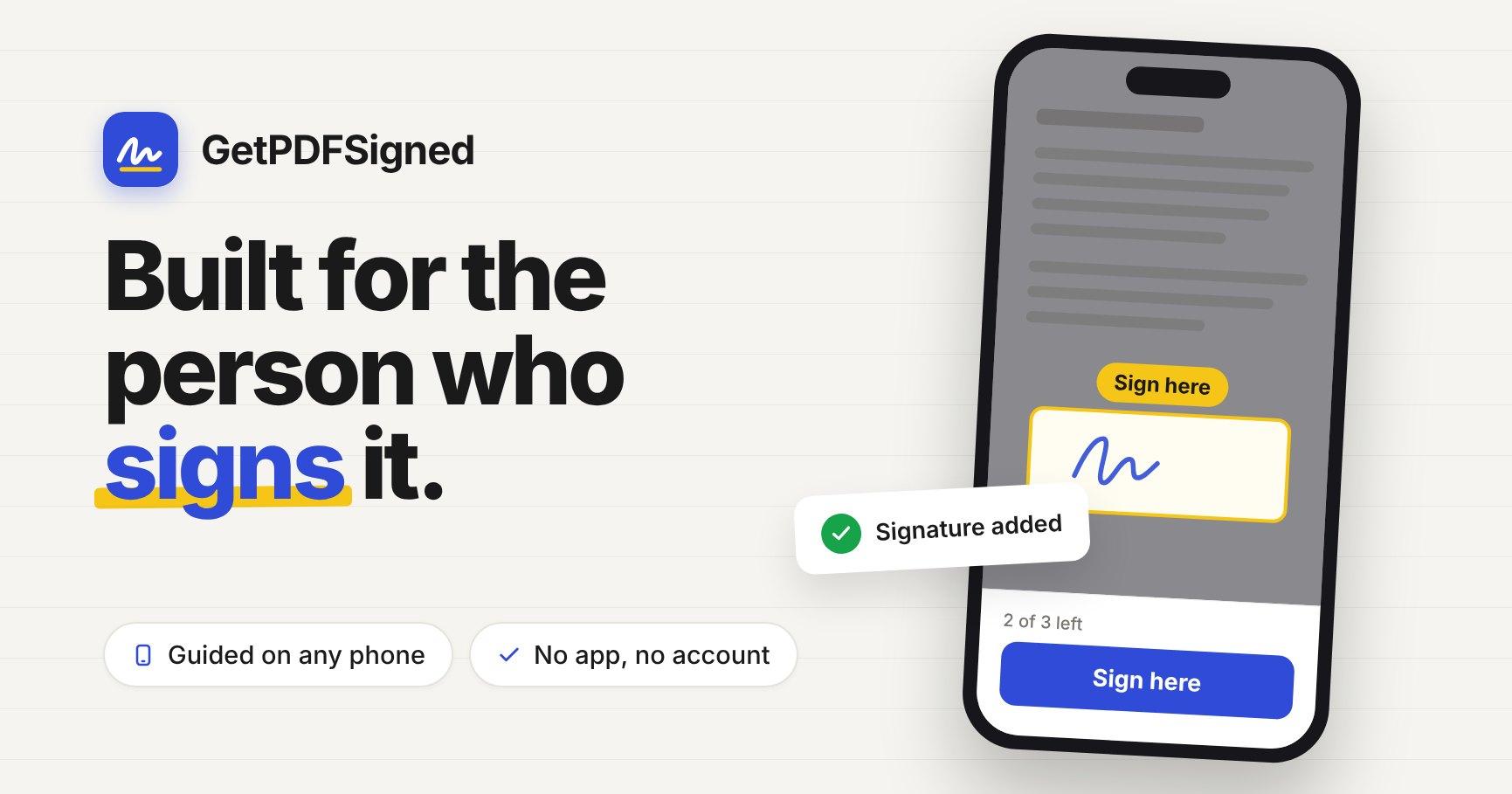
Almost every signing app is built for the person sending the document. I built GetPDFSigned for the person who has to sign it.
Build the Signing Page First
Most signing tools spend their effort on the sender's dashboard. I flipped it. The signing page is the product.
When someone opens a GetPDFSigned link:
- It loads fast, even on a cheap phone on patchy mobile data. No app, no account.
- The page moves to the first field on its own and highlights it. Everything else dims.
- A bar at the bottom says exactly what to do: "Sign here", "Add the date".
- Once a field is done, it moves on to the next and shows how many are left.
- They tap Finish. Done.
They sign once, by drawing or typing, and that signature is reused for every signature field. Nobody has to hunt for boxes. Nobody gets a "you missed one" message.
Sending Should Take About a Minute
On the sender's side, I kept it short:
- Upload a PDF, or write one right in the browser from a template
- Drop in fields: signature, initials, text, date, checkbox
- Get a link, and send it however you already talk to people: WhatsApp, a text, email
That last part matters more than it sounds. In a lot of the world, business happens on WhatsApp, not email. A signing link that works well in a chat app is worth more than one that only works in an inbox.
And if the person is standing right in front of you, at a counter or a front desk, you can hand them your phone and let them sign there.
More Than One Signer, Without the Mess
A lease has a landlord and two tenants. A contract has a client and a freelancer. So you can add up to 10 signers on one document, each with their own link and their own color-coded fields.
You can make them sign in order, or let everyone sign whenever. Each person signs the latest copy, and when the last one finishes, you get the complete PDF. Your documents page shows who's signed and whose turn it is.
Things I Decided Not to Do
- No ads. No selling data. No tracking cookies. It's a tool for signing contracts. It shouldn't be watching anyone.
- The signer never pays. Ever.
- The free PDF tools stay free. Merge, split, rotate, fill, sign your own PDF, turn photos into a PDF. They run in your browser and nothing is uploaded.
- No inflated promises. Electronic signatures are recognised for most everyday documents. But some things, like wills and property deeds, may still need ink or a notary, and I say so on the site. Here's more on electronic vs digital signatures.
Where It's Not the Right Tool
I'd rather tell you this now than have you find out later.
If you're sending one document to hundreds of people at once, need it plugged into a CRM, or have a team with roles and approval chains, a bigger suite will suit you better.
GetPDFSigned is for everyone else: the freelancer with a contract, the landlord with a lease, the small business with an offer letter or a consent form. The people who need something signed every now and then, and just want it done.
What It Costs
- Free: your first 5 documents sent for signature, kept for 14 days
- Pro: $9 a month (or $79 a year) for 100 sends a month, up to 10 signers, your logo on the signing page, reusable templates, and a completion certificate showing who signed, when, and from which device
Try It on Yourself First
The best way to see the difference is to be the signer. Open getpdfsigned.com and tap Try a sample. You'll get the guided signing page exactly the way your signer would.
Then picture your least techy client going through it. That's who I built it for.